Why AV Support Should Continue After Project Handover

Modern audio visual systems depend on far more than displays, microphones, loudspeakers and control panels. They also rely on networks, software, firmware, cloud platforms, operating systems, licences, connected devices and third-party services.
Each part of the system may work correctly on the day of handover, but technology environments continue to change. Network settings are updated. Software platforms release new versions. Security policies evolve. Firmware becomes outdated. Users connect new devices. Equipment ages, and operational requirements change.
Without ongoing monitoring, maintenance and lifecycle planning, even a well-designed AV system can gradually become less reliable.
Handover Is a Transition, Not the End
Traditional AV projects often follow a straightforward process:
- Design
- Installation
- Programming
- Commissioning
- Training
- Handover
Once the project is complete, responsibility may shift to the client’s internal IT team, facilities department or building management staff.
The challenge is that many organisations do not have dedicated AV specialists. Internal teams may already be responsible for networks, cybersecurity, end-user devices, building services and multiple business systems. AV becomes one more technology environment they are expected to manage.
This is why post-handover support should be planned during the design stage, not added only after something fails.
A strong support model gives the client a clear path for reporting faults, maintaining system performance, managing updates and planning future upgrades.
Modern AV Systems Depend on Connected Technology
AV systems are increasingly software-defined and network-connected.
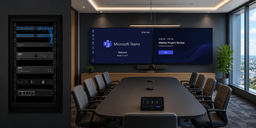
A typical meeting room may include:
- A Microsoft Teams, Zoom or Webex room system
- Cameras with automatic framing or speaker tracking
- USB peripherals
- Digital signal processing
- Networked microphones and loudspeakers
- Touch-panel control
- Wireless presentation
- Room-booking panels
- Cloud monitoring
- Commercial displays
- Network switches
- Control processors
- Firmware-dependent devices
In larger facilities, the system may also include AV-over-IP distribution, digital signage, divisible-room control, recording, streaming, IPTV, paging or emergency communication.
Masters Voice Technology’s British American Tobacco Australia case study demonstrates how conferencing devices, cameras, displays, microphones, wireless presentation and room-combine control must operate as one coordinated environment.
A problem affecting one component can influence the whole user experience.
A camera may still power on but stop communicating with the conferencing platform. A display may remain operational while failing to recognise the correct input. A firmware update may create compatibility issues between devices. A network change may interrupt multicast traffic or device discovery.
These issues are not always visible during a basic equipment check. They require structured monitoring, diagnosis and support.
Remote System Monitoring
Remote monitoring allows AV support teams to see the condition of connected systems without waiting for a user to report a problem.
Depending on the platform, monitoring may show:
- Device online or offline status
- Display power state
- Temperature warnings
- Network connectivity
- Firmware versions
- Peripheral status
- Call performance
- Error logs
- System uptime
- Licence status
- Storage capacity
- Repeated device faults
This creates the opportunity to identify issues before they interrupt a meeting, class, presentation or event.
For example, a monitoring platform may show that a room camera is repeatedly disconnecting, a media player has stopped checking in or a display has failed to power on during its scheduled operating period.
The support team can investigate remotely, reboot the device, review logs or arrange replacement equipment before the failure becomes more disruptive.
Remote monitoring does not eliminate onsite service, but it makes onsite service more efficient. The technician can arrive with a clearer understanding of the fault and the likely parts, tools or configuration work required.
This service model is especially important for organisations operating technology across many locations. MVT’s MediaI national digital-signage managed service is an example of how remote monitoring, fault management, content-platform support and coordinated onsite assistance can support a distributed network.
Help-Desk Support
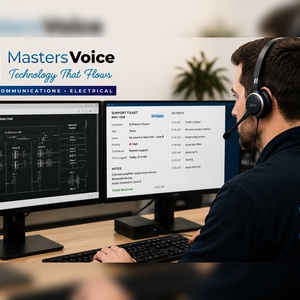
A reliable help desk gives users and internal support teams a clear point of contact when AV problems occur.
Without a defined support process, users may report faults through informal emails, phone calls or conversations with different staff members. Important information can be lost, duplicated or delayed.
A structured help desk can record:
- Site and room location
- Equipment affected
- User description of the problem
- Time the issue occurred
- Troubleshooting already completed
- Photos or screenshots
- Priority level
- Business impact
- Previous faults in the same room
This information helps support teams identify recurring issues and distinguish between equipment faults, user errors, network problems and configuration changes.
Help-desk support is also valuable for simple operational questions. Users may need assistance joining a call, selecting the correct source, sharing content or changing a room mode.
Resolving these questions quickly reduces downtime and improves confidence in the technology.
Firmware and Software Management
Firmware and software updates are essential, but they also create risk if they are applied without planning.
Updates may provide:
- Security improvements
- Bug fixes
- New features
- Compatibility updates
- Performance improvements
- Support for new operating systems or conferencing platforms
However, an update to one device can affect another part of the system.
A conferencing-platform update may change the behaviour of a camera or microphone. A control-system update may require changes to drivers. A display firmware update may alter power management or input switching. An operating-system update may affect USB devices or third-party applications.
For this reason, AV firmware and software should be managed as part of a coordinated process.
Good practice includes:
- Reviewing release notes
- Confirming compatibility across the system
- Testing updates where possible
- Scheduling updates outside critical operating periods
- Recording current configurations
- Maintaining rollback options
- Verifying system performance after the update
Automatic updates can be useful, but they should not replace oversight. Critical AV spaces may need a controlled update schedule to avoid unexpected disruption.
Platforms such as Q-SYS bring audio processing, control, monitoring and user interfaces into a connected software-based environment. This creates powerful capabilities, but it also makes structured configuration management and update planning increasingly important.
Fault Diagnosis Before Site Attendance
Not every AV fault requires immediate onsite attendance.
Many issues can be diagnosed remotely through monitoring platforms, device logs, video calls, user-guided checks or remote access to approved systems.
Before sending a technician, the support team may be able to confirm:
- Whether devices are online
- Whether the issue affects one room or multiple rooms
- Whether the network is available
- Whether the conferencing platform is experiencing an outage
- Whether the correct source is selected
- Whether a device requires a restart
- Whether recent changes have been made
- Whether the fault is related to hardware, software or user operation
This process improves first-time resolution.
Instead of sending a technician with limited information, the support team can identify the likely cause and prepare the correct response.
For multi-site organisations, remote diagnosis can also reduce unnecessary travel and shorten the time required to restore service.
Preventative Maintenance
Preventative maintenance is one of the most effective ways to protect the performance and lifespan of an AV system.
Many AV failures do not happen suddenly. They develop over time through dust buildup, loose connections, damaged cables, overheating, ageing components, battery degradation or changes to configuration.
A preventative maintenance visit may include:
- Visual inspection of equipment
- Cleaning displays, projectors, filters and racks
- Checking cable terminations
- Testing microphones and loudspeakers
- Confirming camera movement and framing
- Verifying control-system operation
- Reviewing system logs
- Testing wireless presentation
- Checking firmware versions
- Confirming network connectivity
- Testing backup and emergency functions
- Reviewing user-reported issues
- Updating asset records
The goal is not simply to confirm that the equipment turns on. It is to verify that the system still performs as intended.
Preventative maintenance is especially important in schools, government facilities, healthcare environments, venues and meeting spaces where AV failure can interrupt essential operations.
SLA Reporting and Accountability
Service-level agreements define how support will be delivered.
A good SLA may include:
- Response times
- Remote-support targets
- Onsite attendance targets
- Priority classifications
- Escalation procedures
- Service hours
- Coverage locations
- Reporting requirements
- Exclusions
- Spare-equipment arrangements
SLA reporting provides visibility into whether these commitments are being met.
Useful reporting may include:
- Number of support requests
- Faults by site or room
- Average response time
- Average resolution time
- Repeat incidents
- Equipment failure trends
- Remote versus onsite resolutions
- Firmware and maintenance status
- Outstanding recommendations
This information helps both the client and the service provider understand system performance.
It also supports better planning. If one model of device is generating repeated faults, or one site is experiencing more incidents than others, that pattern can be investigated before it becomes a larger problem.
Spare-Device Management
Spare equipment can significantly reduce downtime, particularly in critical or multi-site environments.
The challenge is that spare devices must be selected, stored and managed correctly.
A useful spare-device strategy considers:
- Which devices are most critical
- Which components have long replacement lead times
- Which devices can be preconfigured
- Where spares should be stored
- Who has authority to deploy them
- How replacements are tracked
- How failed equipment is returned or repaired
- How firmware and licences are maintained
A spare display may not always be practical, but a spare media player, conferencing appliance, decoder, microphone, power supply or control panel could restore service quickly.
Preconfigured spares are especially valuable. A replacement device that already contains the required settings, firmware and programming can be deployed much faster than a new unit that must be configured from the beginning.
Coordinating Onsite Technicians Across Multiple Locations
Supporting AV across multiple sites requires more than sending the nearest technician.
The service provider needs consistent processes, documentation and technical standards.
Effective coordination may include:
- Central help-desk triage
- Standard service procedures
- Site access information
- Equipment and asset records
- Room drawings
- Network information
- Configuration files
- Programming backups
- Technician service reports
- Escalation to specialist engineers
- Confirmation of resolution
This is particularly important when different technicians attend different locations.
The client should receive a consistent service experience regardless of which technician is assigned.
Central coordination also helps ensure that local repairs do not create new problems. A technician should understand the wider system design before changing network settings, replacing devices or altering programming.
Because modern AV depends heavily on network connectivity, the relationship between AV systems and properly designed communications and data infrastructure should also be considered during maintenance and fault diagnosis.
Supporting Systems Installed by Other Contractors
Organisations often operate AV systems installed by multiple integrators over many years.
This can create a mixed environment with different brands, documentation standards, programming approaches and levels of support.
A new service provider may need to support systems they did not originally design or install.
This is possible, but it requires a structured onboarding process.
The process may include:
- Site audits
- Equipment inventories
- Review of available drawings
- Collection of configuration files
- Identification of passwords and licences
- Network review
- Testing of room functions
- Assessment of equipment condition
- Identification of unsupported products
- Documentation of known limitations
The aim is to create an accurate baseline.
Without this information, the support provider may be reacting to faults without understanding the system as a whole.
Supporting legacy systems also requires honest communication. Some equipment may be obsolete, undocumented or locked behind unavailable programming files. In those cases, the support provider should explain the risks and recommend practical next steps.
Planning Upgrades Before Equipment Becomes Obsolete
AV systems should not be operated until multiple components fail at the same time.
Lifecycle planning helps organisations prepare for replacement before equipment becomes unsupported, unreliable or incompatible with newer technology.
A lifecycle plan may consider:
- Equipment age
- Manufacturer support status
- Firmware availability
- Warranty expiry
- Failure history
- Replacement lead times
- Platform compatibility
- Security requirements
- Changing user needs
- Upcoming building works
- Budget cycles
Not every device needs to be replaced at once.
A phased upgrade plan can prioritise the highest-risk equipment while extending the useful life of components that remain reliable and supported.
For example, an organisation may replace conferencing appliances first, followed by control systems, displays or audio equipment in later stages.
Flexible technology funding and lifecycle services such as TechFlow360 can also help organisations spread project costs, plan refresh cycles and avoid waiting for complete system failure before replacing essential technology.
Documentation Supports Better Service
Good documentation is one of the foundations of effective AV support.
Useful records include:
- System schematics
- Rack layouts
- Cable schedules
- Network information
- IP address lists
- Equipment serial numbers
- Warranty details
- Configuration backups
- Control-system source files
- User guides
- Maintenance records
- Service history
Documentation should be treated as a living resource.
When equipment is replaced, programming is updated or network settings change, the records should be updated as well.
Accurate documentation reduces diagnosis time, improves technician coordination and makes future upgrades easier to plan.
Support Is Part of the User Experience
Users judge an AV system by what happens when they need it.
A room that works most of the time but fails during an important meeting will still be seen as unreliable. A complex system without accessible support can reduce confidence and lead staff to avoid using its full capability.
Ongoing support improves the user experience by providing:
- Faster fault resolution
- Clear escalation paths
- More consistent room operation
- Better user confidence
- Reduced downtime
- Fewer repeated problems
- Better system performance over time
Support should therefore be considered part of the AV solution, not an optional service added after installation.
From Reactive Repair to Managed AV Support
The traditional service model was reactive: something failed, the client reported it and a technician attended.
Modern managed AV support is more proactive.
It combines:
- Remote monitoring
- Help-desk support
- Preventative maintenance
- Firmware management
- Fault reporting
- Spare-device planning
- Asset management
- Lifecycle planning
- Performance reporting
This approach shifts the focus from repairing individual faults to maintaining the health of the complete technology environment.
For the client, the value is operational continuity.
For the integrator, the value is a deeper understanding of how the system performs over its full lifecycle.
Conclusion: The AV Project Continues After Handover
Project handover should not mark the end of responsibility for an AV system.
Modern systems are connected, software-dependent and continually changing. Their reliability depends on regular monitoring, maintenance, updates, documentation and planning.
A strong post-handover support model helps organisations protect their investment, reduce downtime and keep systems aligned with changing operational needs.
The most successful AV projects are not simply the ones that work well on commissioning day.
They are the ones that remain reliable, supportable and useful for years after installation.
Explore more Masters Voice Technology projects, or contact the MVT team to discuss managed AV support, preventative maintenance or lifecycle planning for your organisation.
As a Director of Masters Voice Technology, a New South Wales–based Audio Visual, Electrical and Communications integrator, I’m proud to help lead a team that brings these services together under one connected delivery model.
For us, it comes down to a simple idea: when technology is designed, installed and supported by one team, projects run more smoothly, systems work better and clients have one accountable partner from concept through to completion.
My approach has been shaped by hands-on experience across the electrical, communications and audio-visual industries. That background has given me a practical understanding of how projects come together on site, and why good technology needs to be reliable, safe and easy for people to use.
As a family man with two children under 10, I also understand how important safe and dependable environments are — especially in schools, workplaces and community spaces. That’s why I place a strong focus on client relationships, compliance, managed support and delivering practical technology solutions that continue to perform well beyond handover.